
Company knowledge & SOP
SOP maintenance: your SOPs are probably out of date. Here's how to fix that.
Jul 2026 · 8 min read · by Growy
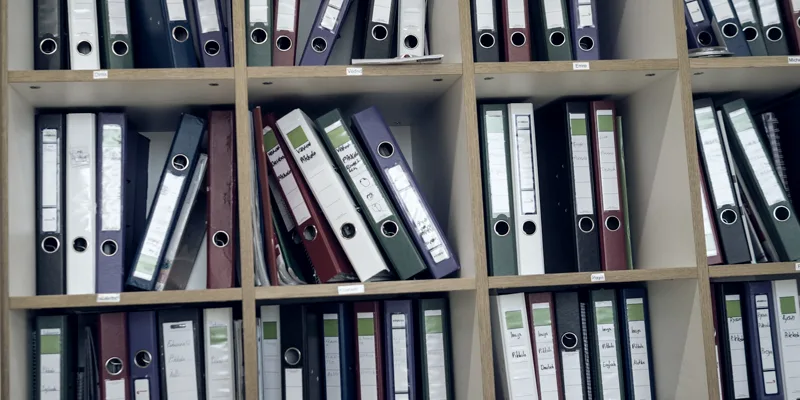
Every company has standard operating procedures. Far fewer have procedures that match how the work is actually done today.
It happens quietly. A tool changes, a supplier changes, a team finds a faster way to do something, and the SOP stays as it was written two years ago. New employees follow the document, experienced staff ignore it, and nobody is sure which version is right. The SOP manual becomes a compliance artefact instead of a working tool.
SOP maintenance is the work that prevents this: reviewing, updating and retiring procedures so they stay accurate. This guide covers why SOPs drift, how to build a maintenance process that actually runs, and how to keep procedures current without launching another documentation project.
What is SOP maintenance?
SOP maintenance is the ongoing process of keeping standard operating procedures accurate, approved and accessible. It is the part of SOP management that starts after a procedure is written, and it includes:
- Scheduled reviews of every SOP at a defined frequency.
- Event-driven updates when a process, system, regulation or role changes.
- Version control, so everyone uses the current version and past versions are kept for audit.
- Ownership, with a named person responsible for each procedure.
- Retirement of procedures that no longer apply.
Writing an SOP is a one-time effort. Maintaining it is a management system.
Why SOPs go out of date
Processes change faster than documents
Teams adjust how they work every week. Documentation is updated when someone has time, which is rarely.
Nobody owns the procedure
An SOP written by someone who has since changed role has no owner. Nobody feels responsible for updating it, so nobody does.
The update process is too heavy
If changing one step means reformatting a document, getting three signatures and re-uploading a PDF, people skip it and share the new way by word of mouth.
SOPs live away from the work
Procedures stored in a folder that nobody opens during the day are easy to forget. At a grocery retail franchise with 100+ stores and 1,500+ employees, knowledge was spread across inboxes, SharePoint, spreadsheets and paper. A routine question took around 25 minutes and a four-email chain to answer. The further the SOP is from where work happens, the faster it drifts.
No feedback loop
The people who notice that a procedure is wrong (the operators, the support agents, the store staff) have no simple way to say so.
The cost of outdated SOPs
- Inconsistent quality: two people doing the same task get different results.
- Slower onboarding: new hires learn the document, then relearn the real process from colleagues. See how to automate employee onboarding.
- Compliance and safety risk: in regulated environments, an audit that finds staff not following the documented procedure is a finding, even if the real practice is better.
- Lost knowledge: the up-to-date version lives in someone's head, and leaves with them.
- Bad AI answers: when an assistant or an AI agent answers from outdated SOPs, it repeats the outdated process confidently, at scale. It's one of the main reasons AI transformation projects stall.
How to keep SOPs up to date: a step-by-step maintenance process
Step 1: Inventory your SOPs
List every procedure, where it lives, who wrote it, when it was last updated and who uses it. Expect duplicates and contradictions. This inventory is the scope of your SOP maintenance programme.
Step 2: Assign an owner to every SOP
Each procedure needs one named owner, sometimes called the procedure custodian, usually the manager of the team that performs the work. The owner defines the policy, the exception routes and what "done" looks like, approves changes and makes sure reviews happen.
Step 3: Set review frequencies by risk
Not every SOP needs the same review cycle:
| SOP type | Suggested review frequency |
|---|---|
| Safety, quality control and regulatory compliance procedures | Every 6–12 months, and after any incident or regulation change |
| Core operational procedures (customer service, store operations, finance operations) | Every 12 months |
| Stable administrative procedures | Every 12–24 months |
| Any SOP | Immediately when the underlying process, system or role changes |
Step 4: Define update triggers
Scheduled reviews catch slow drift. Triggers catch fast change. Write down the events that require an SOP update: a new tool, a new supplier, a new regulation, an incident, a recurring question from staff, a change in team structure.
Step 5: Make updates light
Use a standard SOP template so updates don't require reformatting. Separate the stable parts (purpose, scope, roles) from the steps that change often. Allow small corrections to be approved quickly by the owner; keep full review for significant changes.
Step 6: Control versions
Every SOP should show its version number, effective date, owner and a short change log. Only the current version should be accessible to staff; previous versions should be archived for audit. Never leave two "final" versions in circulation: one single source of truth per procedure.
Step 7: Build a feedback loop
Give the people who use the procedure a simple way to flag that it's wrong or unclear, directly from where they read it. Track flags per SOP: a procedure that generates repeated questions needs rewriting, not just updating.
Step 8: Retire what no longer applies
Removing obsolete procedures is part of maintenance. Every outdated SOP left in the system makes the current ones harder to trust.
SOP maintenance best practices
- Write SOPs to be maintained. Short steps, one action per step, screenshots only where they add value. The simpler the format, the cheaper every update.
- Link related procedures instead of copying them. When the same step appears in five SOPs, put it in one place and link to it. One update then fixes every related procedure.
- Separate policy from procedure. Policies (what must be true) change rarely; procedures (how to do it) change often. Mixing them makes every update a policy review.
- Review with the people who do the work. The owner approves, but the operators, technicians or store staff know where the document and the reality differ.
- Track the condition of your SOP library. Share of SOPs reviewed on time, number of SOPs without an owner, average age since last update, number of flags open. These four numbers show whether your quality management system is alive.
- Connect SOP updates to training. When a significant change is approved, the people affected should be told and, if needed, retrained. Otherwise the new version exists only on paper.
Benefits of a working SOP maintenance process
- Operational efficiency: people follow one current way of working instead of improvising.
- Faster onboarding: new team members learn the real process from day one.
- Audit readiness: version control and review records show regulators and auditors that procedures are controlled.
- Improved safety and quality: risk points stay visible and correct.
- Reliable AI: assistants and agents that answer from your SOPs give answers that match how the work is done.
SOP maintenance checklist
Use this checklist at each review:
- [ ] Does the procedure still match how the work is done today?
- [ ] Are the systems, tools and screens referenced still current?
- [ ] Are roles and responsibilities still correct?
- [ ] Do the steps comply with current regulations and company policy?
- [ ] Are safety and quality control points still in the right place?
- [ ] Have staff flagged questions or issues since the last review?
- [ ] Is there a duplicate or conflicting SOP elsewhere?
- [ ] Are version number, effective date, owner and change log updated?
- [ ] Have the people who use it been informed of the change?
Maintenance SOPs: a special case
In facility management, manufacturing and asset-heavy operations, "maintenance SOP" also means the procedures maintenance teams follow: preventive maintenance, corrective maintenance, equipment inspections, work orders and safety protocols. These SOPs need the same maintenance discipline, with two extra requirements:
- Tighter review cycles, because equipment, safety standards and regulations change and errors can cause injury or breakdowns.
- Integration with maintenance management software, so work orders point to the current procedure for each asset and each step.
The principles above (owners, triggers, version control, feedback from technicians) apply in full.
Living SOPs: keeping procedures current where work happens
The traditional answer to outdated SOPs is a documentation project: gather the team, rewrite everything, publish a new manual. Six months later, the drift starts again.
A more durable approach is to stop treating SOPs as static documents and start treating them as part of the company's live knowledge. That is what a company brain does: it indexes drives, tools and SOPs (from Notion, Google Drive, SharePoint and the rest of your stack) into one searchable source of truth, with SOPs kept live and versioned.
In practice, four things change:
- SOPs become answerable. Staff ask a question in plain language and get the current step from your own procedures, with the source shown, instead of searching a folder. Answers are scoped to what each person's role is allowed to see.
- Documents and live data work together. Procedures answer "how do I do this?"; connected systems answer "what is the current state?" (stock, leave balances, application status). Nobody gets last quarter's figures from an old PDF.
- Conflicts surface instead of hiding. When two documents disagree, both are shown and the conflict is flagged to the document owner. The system doesn't silently pick one.
- Questions become your review list. Every question the agent can't answer is logged, and the gap log ranks the procedures to write or update next by how often people ask.
Two Growy deployments show what this looks like:
- Grocery retail franchise, 100+ stores, 1,500+ employees. SOPs, policies and procedures now sit in one company brain, connected live to HR, payroll, Microsoft 365 and stock. Answers that took around 25 minutes are now instant and role-scoped. Self-service resolution went from 72% to 87%, and the gaps the agent couldn't answer were logged and the missing procedures written. See the knowledge support agent.
- Multi-brand fashion retail franchise, 11+ stores, 250+ employees. 150+ SOPs and a 25,000-SKU catalogue were centralised and made answerable 24/7, scoped by role.
You don't need to rewrite your documentation first. You start with what you have, and the questions people ask tell you what to fix.
Your SOPs will probably never be perfectly up to date. That's fine. What matters is a system where outdated steps are noticed quickly, the owner is told, and the fix reaches the people doing the work the same day. For the wider picture, see how to improve knowledge management and how a knowledge management system works.
Frequently asked questions
What is SOP maintenance, in short?
SOP maintenance is the ongoing process of reviewing, updating, versioning and retiring standard operating procedures so they stay accurate, approved and accessible to the people who use them.
How often should SOPs be reviewed?
Most organisations review SOPs every 12 months, safety and compliance procedures every 6 to 12 months, and any SOP immediately when the process, system, role or regulation it covers changes.
Who is responsible for maintaining SOPs?
Each SOP should have a named owner, usually the manager of the team that performs the process. A quality or operations function typically sets the review calendar and checks that reviews happen.
How do you keep SOPs up to date?
Assign owners, set review frequencies by risk, define update triggers, use a standard template, control versions, collect feedback from users, and make procedures accessible where the work happens.
What software helps with SOP maintenance?
SOP management software handles templates, approvals and version control. A company brain goes further by connecting SOPs to other company knowledge and live systems, flagging conflicts and making procedures answerable in daily work. See SOP management software.
Next step: tell us your three biggest bottlenecks. If outdated procedures are one of them, we'll show you on your own documents how a living company brain keeps them current.

Get started
Want this in your company?
Everything on this blog runs in production at companies like yours. See it on your own workflow.
Two ways to start
Book a demo6 FIELDSYou already know what you want to see. Tell us the essentials and we come back with times.Open the form →Build your agent6 QUESTIONSYou want the demo built around your own bottleneck. Answer six questions, we prepare the agent for the call.Start the questionnaire →Prefer a live call?
Grab a slot that suits you.
Book a 30-minute call with our team.
Opens the calendar over this page. Hosted by Calendly, which sets its own cookies.